How do I manage user roles and permissions?
Role and permission management allows you to precisely control what each user can access within your organization, using the Secure Exchanges online portal. Here's how to configure these settings in the Secure Exchanges online portal.
This option is available on our online portal.
You must log in to your account and then click on Options-Roles and permissions:
Next you need to add a group by clicking on "Add a role group" and define its permission level and then assign the relevant technicians to it.
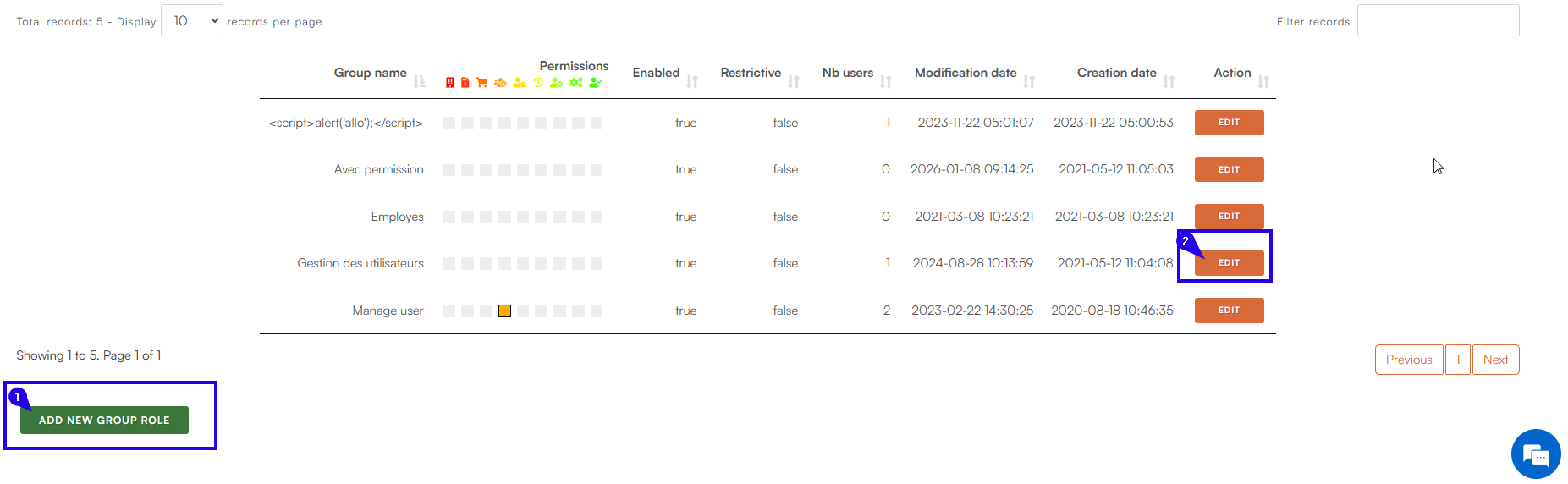

To add users to a role group, you must click on the number of users in the table:
Related Articles
How do I manage user roles and permissions?
In Secure Exchanges, role and permission management allows you to precisely control the access granted to your users based on their responsibilities. This feature helps you strengthen security, limit errors, and effectively structure the ...How do I modify, withdraw, or transfer a user's license?
As an administrator, you can: to change a user's license type, withdraw a license, or transfer a license to another user. Here's how to do it, step by step. Step 1: Log in Log in to the Secure Exchanges online portal. Don't know how to log in? Follow ...How can I view user usage statistics in my organization?
Secure Exchanges has introduced a new feature that allows administrators to view detailed statistics on user service usage. This feature is accessible via the online portal under the "User Statistics" tab. Here's how to use it effectively: User ...How do I modify a user's profile or information?
The Secure Exchanges portal allows account administrators to modify the information and security settings of an existing user. Step 1 – Log in to the online portal Log in to your account via the Secure Exchanges online portal Need help? How do I log ...How do I send a secure email from the web portal?
The Secure Exchanges online portal allows you to send a secure message without using your email application (Outlook, Gmail, etc.). Here's how. 1. Log in to the online portal Log in to your account, then click on Send a secure email. Once logged in, ...